


Loud Volume Booster
4.41.50K Reviews
App Specs
- Version
- 36
- Updated On
- License
- Free
- Downloads
- 500,000+
- Developer
- TAMob
- Categories
- Music & Audio
- Platform
- Android
Screenshots

 Analysis by AppCompare
When a song or spoken track sounds too quiet on a phone, it is tempting to push the system volume to its limit and hope for the best. I tried Loud Volume Booster to see whether an audio-focused utility could make that adjustment easier, and found a simple tool whose main appeal is quick access to louder playback and sound shaping. It is most useful when a particular recording feels subdued; it is less compelling if you want a full music player or a guaranteed fix for every audio problem.
When playback depends on the connection
Connectivity can shape how a volume booster feels in everyday use, even though the key question is what happens to the sound after it reaches the phone. If a streamed podcast keeps cutting out, raising its volume will not repair the network interruption. If it plays steadily but the voices are hard to hear, a boost or equalizer adjustment may help make the listening level more comfortable. I would separate those two problems before changing settings: a quiet signal and an unstable connection need different solutions.
For streaming, I would first let the audio settle, then make small adjustments rather than reacting to every dip. A temporary pause or a switch between mobile data and Wi-Fi can change playback independently of the booster, so it is worth checking the stream itself before deciding the app has stopped working. When the connection is the weak link, the player’s own playback controls and connection settings are the better place to start.
How it fits into a mobile day
The most natural use case is a phone speaker or listening setup that seems a little too quiet for the material at hand. Imagine catching a short video between errands: traffic noise makes the dialogue difficult to follow, but the clip is playing smoothly. A modest increase can help without needing to search through several system menus. For a podcast, I would also try the equalizer carefully, since clearer speech can matter more than simply making every frequency louder.
There is a trade-off when listening in public. A louder phone may make a quiet clip easier for you to hear, but it can also bother people nearby. Headphones are often the more considerate choice, and with them I would be especially cautious about increasing volume. A setting that seems comfortable in a noisy place can feel uncomfortably loud once the surroundings become quiet.
This kind of app makes most sense for someone who wants a quick audio adjustment, not someone who needs to repair a weak network, improve a poor recording, or replace a dedicated player. If you often listen in changing surroundings, treat the boost as a situational aid and bring it back down when you no longer need it.
Recovery when the sound is not right
If playback suddenly becomes harsh, distorted, or unexpectedly loud, my first move would be to reduce the boost and return the equalizer toward a neutral setting. Then I would check the source app’s own volume and the phone’s system volume before raising anything again. Adjusting one control at a time makes it much easier to tell whether the problem comes from the recording, the player, or the extra processing.
Worth Reading Before You Choose

EA SPORTS FC Mobile 26 Is a Bigger Football Game, but It Takes Time

Flipboard Shows What News Apps Must Do Beyond the Feed

Switching to Android Auto Means Rethinking Your Driving Routine

Google Calendar Makes a Crowded Week Easier to Manage

Ludo King Makes the Most of the Minutes Between Plans

Baby Panda World Brings Quick Play to Modern Phones, but Its Game Library Feels Busy
The same approach helps if the sound seems unchanged: confirm that the audio is coming from the app or output you intended, and avoid stacking several volume controls at once. If a stream is buffering, let it recover before judging the sound effect. These steps are simple, but they prevent a connection hiccup from being mistaken for a booster failure and reduce the chance of an abrupt jump in loudness.
Getting Started with the App
Installing it was a breeze. A quick visit to the app store, a tap on the download button, and voilà, I was ready to rock. The interface is straightforward, which is a huge plus. No need to navigate through a labyrinth of menus; it’s all laid out clearly for even the most tech-challenged among us.
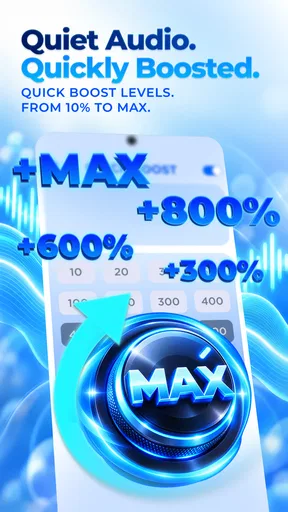
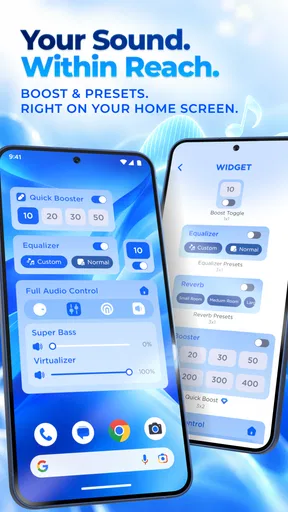
Once I opened the app, I was greeted by a simple dashboard with a big, inviting button labeled “Boost.” Naturally, I was curious, so I hit it. Instantly, I noticed a significant volume increase, and my music transformed from a gentle whisper to a full-blown concert experience. It was like someone turned on the high-definition audio switch on my phone.
Features That Stand Out
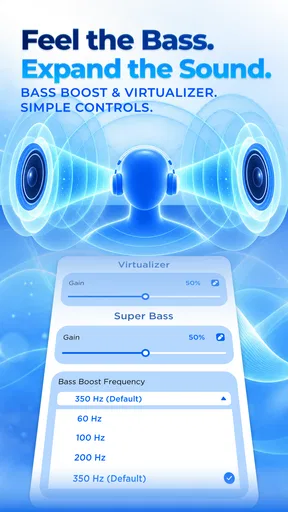
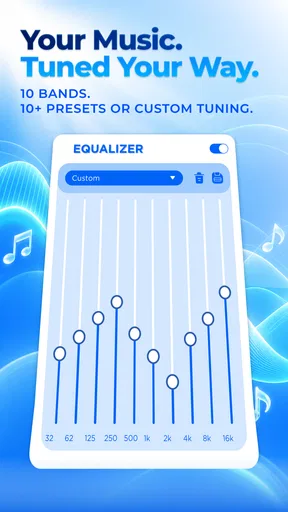
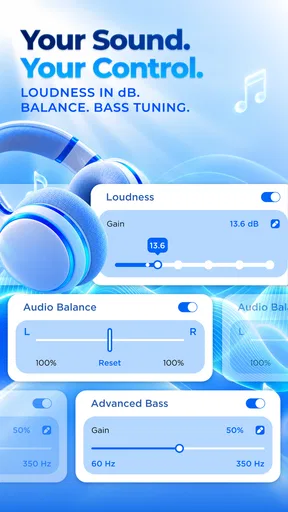
The app isn’t just about cranking up the volume. It offers several cool features that are worth mentioning. For starters, it has a built-in equalizer. This is a game-changer for those of us who like to tweak our audio settings. Whether you’re into bass-heavy tunes or crisp, clear vocals, the equalizer lets you customize the sound to your heart’s content.
Another nifty feature is the ability to boost specific apps. So, if you're watching a movie on a streaming service or listening to a podcast that needs a little volume nudge, you can target just that app without affecting the overall system volume. It’s these little touches that make the app feel like it was designed with real users in mind.
Targeting a single app can also make experimentation less disruptive. If you are trying to make spoken audio clearer, you can adjust that listening situation without immediately changing how music or other playback sounds elsewhere. I would still compare the result at a moderate level: boosting a source and raising its own volume together can make it difficult to know which adjustment helped, and may leave you with more loudness than you intended.
Performance and Usability
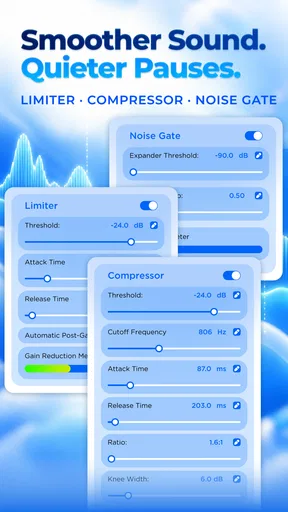
Performance-wise, the app delivers what it promises. The sound boost is noticeable, and there was no distortion, which is often a concern with volume-boosting apps. The audio remained clear, even at higher levels, which is a testament to the app’s quality.
As for usability, the app is about as user-friendly as they come. Everything is intuitive, and I didn’t encounter any bugs or crashes during my testing. It’s compatible with both Android and iOS, making it a versatile choice for a wide audience.
For data-conscious listening, I would not treat a volume tool as a way to reduce streaming use. The amount of audio a service plays is a separate matter from how loud it sounds, so the sensible data-saving choices are still the ones in the streaming app, such as avoiding unnecessary playback or choosing its available quality controls. If you are on a limited connection, focus on those controls rather than expecting an equalizer or boost setting to change data consumption.
Concerns and Considerations
Now, while the app is pretty fantastic, it’s not without its caveats. Boosting your volume to excessive levels can potentially harm your hearing and your device's speakers. It’s important to use the app responsibly and avoid turning it up to eleven all the time.
Additionally, battery consumption can increase when you're using the booster for extended periods, which is something to keep in mind if you’re planning on a long listening session away from a charger.
There is also a practical limit to what extra processing can achieve. A quiet or muffled recording may become louder without becoming clearer, and strong bass adjustment can make speech harder to pick out rather than easier. I would begin with a small change, listen to a familiar section, and stop as soon as it is comfortable. That careful approach is more useful than assuming the highest boost is the best setting.
Compared with the usual alternatives, the phone’s built-in volume controls are simpler and are often enough for ordinary listening. A player’s own equalizer may be a better choice if you only need to shape audio in that one player. This app is more appealing when you want a dedicated, readily accessible boost and the option to work with individual apps. It is not the right pick if your main need is offline music management, connection troubleshooting, or a detailed audio workstation.
Who is likely to get the most from it?
I can see this being useful for people who regularly encounter quiet videos, podcasts, or tracks and want a straightforward way to adjust their listening. The equalizer gives curious listeners room to tune sound by ear, while the app-targeting option can help keep a change focused. Someone who prefers to leave every audio setting untouched, or who already gets the result they want from a player’s built-in tools, may find little reason to add another control.
The app is free, with in-app purchases listed at $12.99 per item, so I would try the basic experience before deciding whether anything beyond it matters to my routine. It is rated for Everyone and is developed by TAMob. Its average rating is 4.4 from around 14K ratings, with about 1.4K written reviews, and it has over 500K installs. Those figures suggest that it has found an audience, but they do not tell me whether its particular sound adjustments will suit your phone, headphones, or listening habits.
It was released on June 6, 2022, and the current version is 33, with Android 7.0 as the minimum operating system. If you are choosing between a general booster and the equalizer already built into your favorite music app, I would start with the built-in option for routine listening and use this one when a broader or more direct adjustment is the point. That keeps the setup simple and helps you notice whether the extra control genuinely improves your experience.
Final Thoughts
All in all, Loud Volume Booster is a solid choice for anyone looking to enhance their audio experience. Whether you’re trying to make the most of a quiet video or just want to feel like you’re at the front row of a concert, this app has got you covered.
It’s perfect for music lovers, podcast enthusiasts, and anyone in between. Just remember to use it wisely, protect your hearing, and enjoy the boosted sound!
My connectivity verdict
I would recommend it as a focused listening aid, not as a cure for every frustrating moment involving phone audio. When a stream is stable but too quiet, its boost and equalizer give you practical options; when the stream itself is failing, fixing the connection or using the playback app’s controls is the more direct answer. That distinction is the most useful thing to keep in mind before turning the volume up.
Used in small, deliberate adjustments, it can make an everyday clip or spoken track easier to hear without demanding much menu-hunting. I would skip it if your current player already handles volume and sound shaping well, or if you are looking for a network, data, or recording-quality solution. For the right listener, though, it is a simple way to take more control of how audio comes across on a phone.
Pros
- Significantly enhances audio output.
- User-friendly interface is easy to navigate.
- Compatible with most music apps.
- Minimal battery consumption during use.
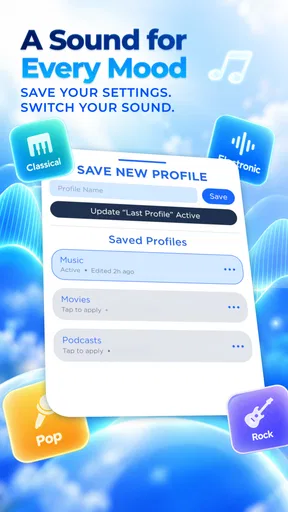
- Customizable sound settings available.
Cons
- May distort sound at very high volumes.
- Some features require in-app purchases.
- Not all devices are fully supported.
- Potential for minor app crashes occasionally.
- Ads can be intrusive in free version.
FAQs for Loud Volume Booster
What is Loud Volume Booster and how does it work?
Loud Volume Booster is an app designed to enhance the audio output of your Android or iOS device. It amplifies the sound beyond the default maximum level, allowing you to enjoy louder music, videos, and calls. The app works by modifying the audio settings and using advanced algorithms to boost the volume without compromising sound quality.
Is Loud Volume Booster safe to use on my device?
Yes, Loud Volume Booster is generally safe to use on your device. However, it's important to use it responsibly. Continuously playing audio at very high volumes can damage your speakers or hearing. Ensure you follow the app's guidelines and use the boost feature sparingly to maintain your device’s longevity and your auditory health.
Does Loud Volume Booster work with all audio applications?
Loud Volume Booster is compatible with most audio applications, including music players, video apps, and streaming services. However, some apps may have built-in volume restrictions that could limit the booster’s effectiveness. It's recommended to test the app with your preferred audio sources to ensure compatibility and functionality.
Are there any in-app purchases or ads in Loud Volume Booster?
Loud Volume Booster offers a free version that may include ads. To enhance the user experience, there might be an option to purchase a premium version, which could remove ads and offer additional features. Always check the app description for the latest information on pricing and available features.
How can I ensure the best performance from Loud Volume Booster?
To get the best performance from Loud Volume Booster, make sure your device is updated to the latest software version. Close unnecessary background apps that might compete for audio resources. Adjust the booster settings gradually to avoid audio distortion, and regularly check for app updates that improve functionality and compatibility.


